All contract templates
Thirty-five sample contracts, written in plain language and grouped by the kind of work they cover. Open any one to read what it says; sign in to fill it in and send it for signature.
Samples to read and edit
- 35 sample contracts
- Clauses in English, Korean, Japanese and German
- Review with a lawyer before you rely on one
How a template works
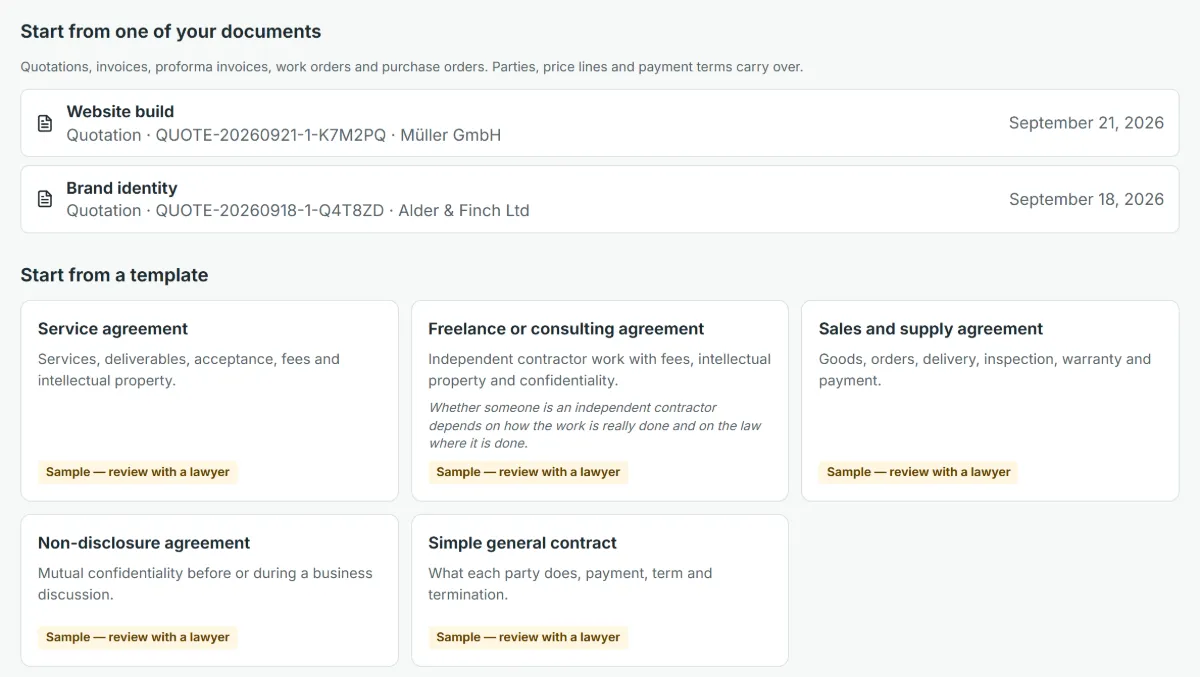
Each template is a complete first draft: the parties, the clauses that kind of contract usually needs, payment terms and the governing law, with blanks in square brackets wherever only you know the answer. Pick one, fill in the blanks and change whatever does not fit your deal.
The clauses are written in English, Korean, Japanese and German. A contract in any other language starts from the English text, which you translate yourself; the headings and the certificate are printed in the language you choose.
A template that carries fees starts with an empty price schedule in your currency, so the amounts and the tax come from your own numbers and never from the sample.
Pick the contract you need
Thirty-five templates in five groups. Each name opens the template’s own page: who it suits, what its clauses cover and what to check before you use it.
Creative and design
- Website design and development agreement Pages and scope, client content, design sign-off, launch, warranty and ownership of the site.
- Graphic design agreement Concepts and revisions, final files, usage rights, fonts and stock licences, credit and a kill fee.
- Photography agreement Shoot date, deliverables, usage licence, releases, cancellation, overtime and lost images.
- Video production agreement Script and storyboard, shoot days, edits and revisions, delivery formats, footage rights and licences.
- Copywriting agreement Briefs and word counts, deadlines, revisions, originality, fact-checking, ownership and a kill fee.
- Influencer collaboration agreement Sponsored posts and videos: approval, publication dates, ad disclosure, usage rights and reporting.
Software and technology
- Software development agreement Specification, milestones, acceptance testing, defects, source code and payment by milestone.
- Maintenance and support agreement Covered systems, support hours and response targets, exclusions, updates, a monthly fee and extra work.
- Software subscription agreement (SaaS) Business-to-business terms for a software subscription: service, renewal, fees, customer data and availability.
- Licence agreement A licence to use a work, software, content or brand: scope, fees or royalties, ownership and termination.
Services
- Service agreement Services, deliverables, acceptance, fees and intellectual property.
- Freelance or consulting agreement Independent contractor work with fees, intellectual property and confidentiality.
- Marketing services agreement An agency runs campaigns: scope, ad spend paid separately, approvals, reporting and account ownership.
- Social media management agreement Running a business’s social accounts: posting, approvals, account access, replies, reporting and ownership.
- Translation services agreement Languages, word count, delivery, quality and corrections, glossary, confidentiality and liability for errors.
- Coaching and training agreement Sessions and format, attendance, cancellation, confidentiality, materials and what is not promised.
- Event services agreement Event details, planning scope, vendor bookings, budget approvals, cancellation and the event day.
- Cleaning services agreement Premises, cleaning schedule, keys and access, quality checks, insurance, damage and the monthly fee.
- Catering agreement Menu, headcount and the final-number cut-off, dietary requirements, tasting, food safety, deposit and cancellation.
Sales and commercial deals
- Sales and supply agreement Goods, orders, delivery, inspection, warranty and payment.
- Simple general contract What each party does, payment, term and termination.
- Master services agreement Standard terms for repeated work, with each job agreed in its own statement of work.
- Statement of work One piece of work under a master agreement: scope, milestones, acceptance, fees and dependencies.
- Subcontractor agreement Part of a client job handed to another business: passed-down requirements, deadlines, insurance and payment.
- Reseller or distribution agreement A supplier and a reseller: products, territory, exclusivity, prices, orders, brand use, stock and returns.
- Sales agent agreement (commission) An independent agent finds customers for a commission: authority limits, rate, statements and payment.
- Equipment rental agreement Equipment and handover condition, rental period, deposit, use and care, risk, insurance, return inspection.
- Change order agreement A short amendment to an existing project contract: what changes, the effect on price and schedule, all else stays.
- Payment plan agreement An instalment schedule for an overdue invoice or large purchase between two businesses, with the debt acknowledged.
Partnerships and preliminary agreements
- Non-disclosure agreement Mutual confidentiality before or during a business discussion.
- One-way non-disclosure agreement One side shares confidential information and the other keeps it secret and uses it only for the stated purpose.
- Letter of intent The deal the parties intend to negotiate, its main terms as intentions, and a plain list of the clauses that bind.
- Memorandum of understanding How two organisations intend to cooperate: purpose, areas, each side’s contribution, contacts and what does not bind.
- Collaboration agreement Two businesses on one project: roles, contributions, sharing of income, decisions, who owns the work, how a side leaves.
- Termination agreement The parties end an existing agreement by consent: end date, final payment, returns, a limited release and what survives.
From template to signed contract
Four steps, all inside QuoteBill. You sign in once; the other side needs no account.
Choose a template
Sign in, open New contract and press the template you want. A draft is created; nothing is sent.
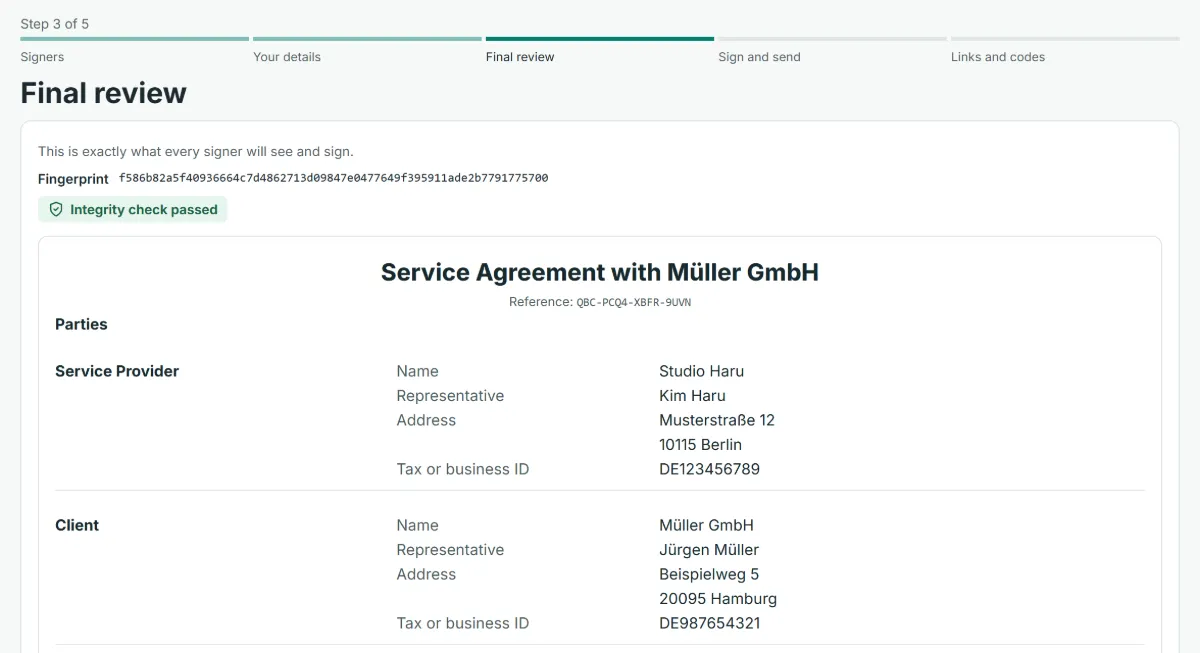
Fill in and edit
Enter the other party, the dates and the price, and change any clause. The draft is saved as you go.
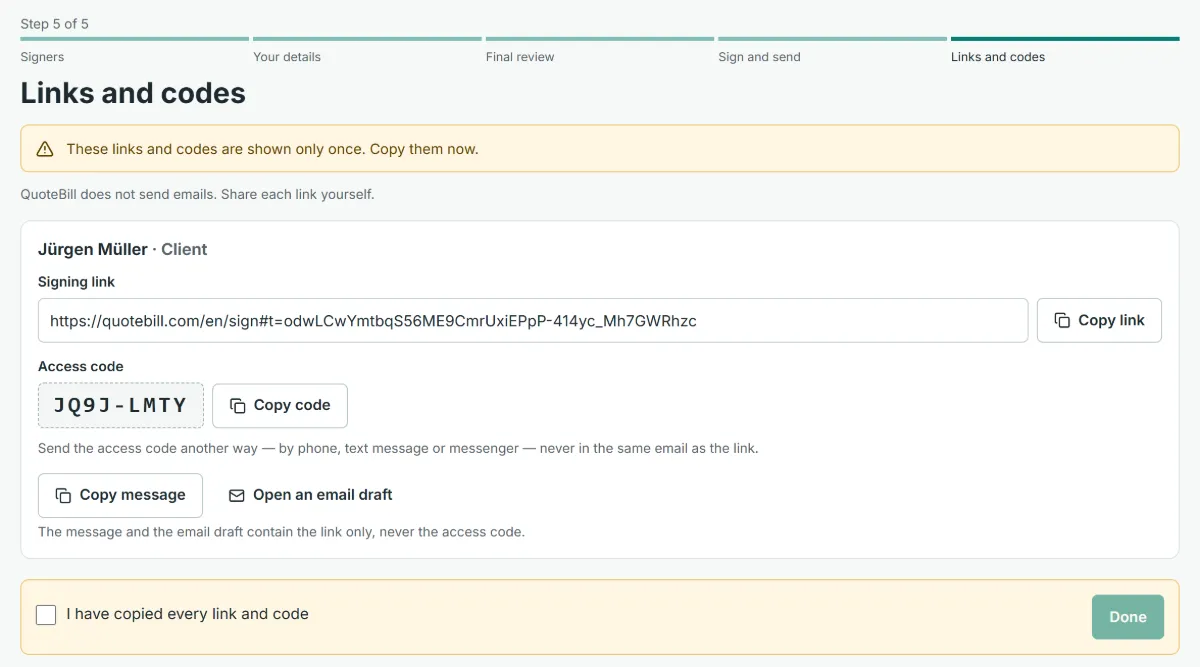
Send it for signature
Each signer gets a secure link and, by another route, an access code. Your client signs on any phone or computer.
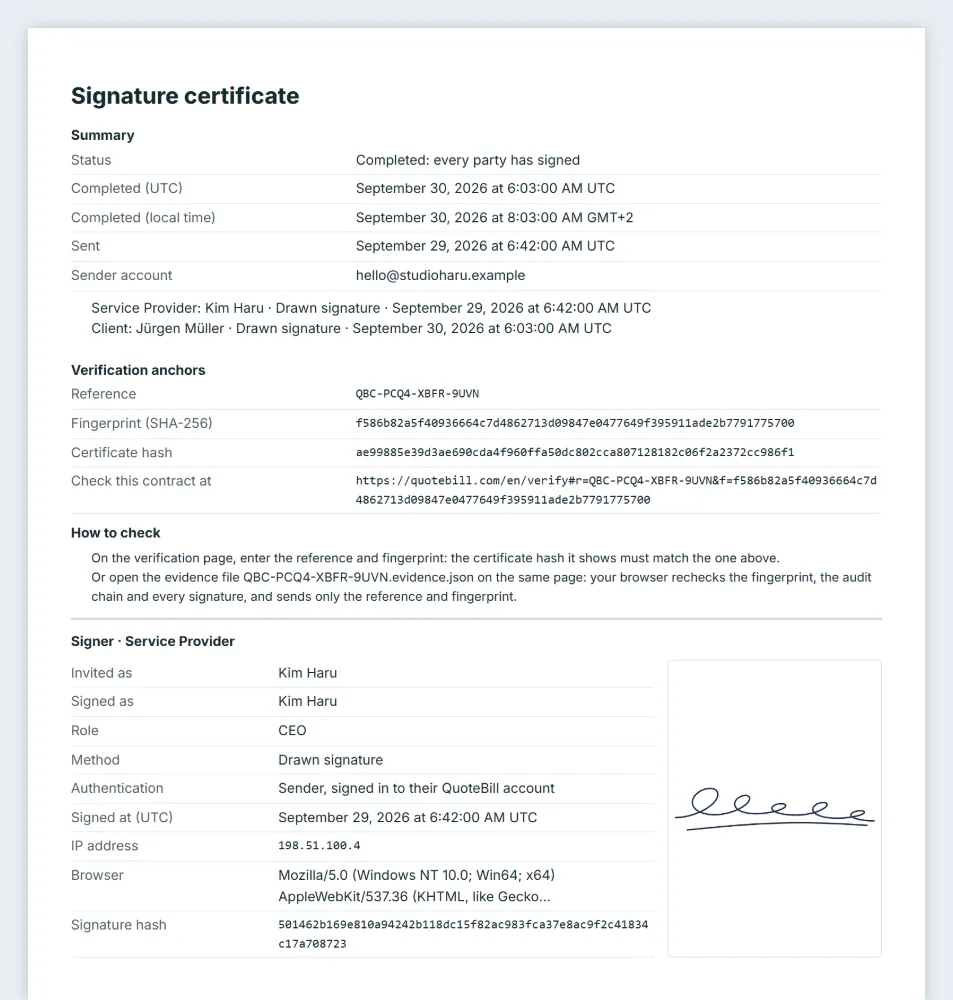
Keep the signed copy
When everyone has signed you receive the signed copy, a signature certificate with the audit trail and an evidence file.
A sample, not legal advice
These templates are samples written to be read and edited. They are not legal advice and no template fits every situation, so have a lawyer look at any contract that matters: one with a large value, a long term or a party in another country.
Some documents must take a form the law prescribes, such as a will, a guarantee given as a private person or a notarised deed. Do not send those through QuoteBill. The guide on e-signatures explains where the line runs.
Questions about the templates
Are the templates free?
Reading them is free and needs no account. Using one needs a free QuoteBill account. Fair-use limits keep the service from being misused: 50 new contracts a day, 20 sent a day and 100 stored at a time.
Can I change a template?
Yes. A template only creates a draft. Every clause, the price schedule, the dates and the parties can be edited before you send, and nothing is sent until you press send.
Which language is the contract in?
The clauses come in English, Korean, Japanese and German; any other language starts from the English text. You choose the contract language when you create the draft.
Does signing make a contract valid?
QuoteBill creates a simple electronic signature with an audit trail. The law of many countries accepts that for ordinary business contracts, but not for every kind of document. It is not a qualified or advanced electronic signature. The guide goes country by country.
Where do I read a whole template?
On its own page, before you sign in: who it suits, a plain line for each clause and the whole sample text. Creating a draft copies that text into your own contract, where you can edit it.
Read more
Start from a template
Pick a contract, fill it in and send it for signature. Your client signs without an account, and every step is recorded.