
Free document templates · PDF, Word and Excel
Quotations, invoices and contracts in one place
Create quotes and invoices online, plus eight more kinds of business document, from free templates. Get contracts signed through a secure link and turn one document into the next.
Try it without an account536 templates33 languages
Create quotes, invoices and receipts online: 536 free templates, PDF, Word and Excel. Try it without an account. Plus e-contracts and 100 business forms.
What you can do with QuoteBill
- Ten kinds of document 536 templates, from quote to receipt
- E-Contracts Sign through a secure link. The other side needs no account.
- Forms Top 100 100 business forms. Fill in, print or save as PDF without an account.
- Connect AI Ask ChatGPT or Claude for a quotation in plain words.
- VAT and GST calculators 151 countries, each rate with its source.
- Use QuoteBill inside your software API, embeds and connectors.
How the documents connect
- Quotations
Price the work.
Agreed? Start a contract from it.
- Contracts
Sent as a secure link; the other side signs with no account.
Signed? Make the invoice from it.
- Invoices
Ask for payment by a due date.
Payment received? Make the receipt.
- Receipts
Confirm a payment you received.
Seven more kinds:
The client and line items carry over, so nothing is typed twice.
Most active this month
We promote your business and products to users around the world
Every month, free of charge, we introduce the websites of the businesses and people who make and use the most documents with QuoteBill.
Every month this spot introduces the most active business, free of charge
The website of the member who makes and uses the most documents appears here. Put yours here too.
Written by the member · listed free
Ten kinds of document, from quote to receipt
Start each one from its own template, then make the next from it. The client and line items carry over, so nothing is typed twice.
Offer and order
Quotations
Price the work. Once it is agreed, make the invoice, a proforma invoice or a work order from it.
Proforma invoices
State the price and terms before supply, for prepayment or import. The invoice or a commercial invoice follows from it.
Purchase orders
Order goods or services from a supplier, with the prices, delivery date and address.
Work and delivery
Work orders
Set out a job’s site, schedule and tasks, with prices or hours × rate, and invoice it once it is done.
Delivery notes
List what was delivered, without prices, for the recipient to sign. It can print as a packing slip.
Commercial invoices
Invoice exported goods with HS codes, origin and Incoterms, then issue its delivery note, receipt or credit note.
Billing and payment
Invoices
Ask for payment by a due date, then issue its receipt, credit note or delivery note from it.
Receipts
Confirm a payment you received, with the date, the method and the invoice it settles.
Credit notes
Reduce or cancel an invoice already issued, with its number and the reason.
Statements
List a customer’s invoices, payments and credits by date, with a running balance and the balance due.
100 business forms: resignation letter, NDA, employment contract and more
A list of 100 free business forms: contracts, HR and hiring, finance and tax, legal, sales and trade, and projects. Fill one in online, choose the country version and a design, and your saved details fill the matching fields. Print it, save it as PDF or download Word without an account; saving to your account needs a free account. A template, not legal, tax or accounting advice.
- Fill in
- Check the preview
- Save as PDF, Word or Excel
Try it without an account
Thirty-two designs for every document
Choose how a quotation, invoice or receipt looks, from a Swiss grid to a receipt roll or a blueprint. Pick the design in the editor and it carries into print, PDF, Word and Excel.
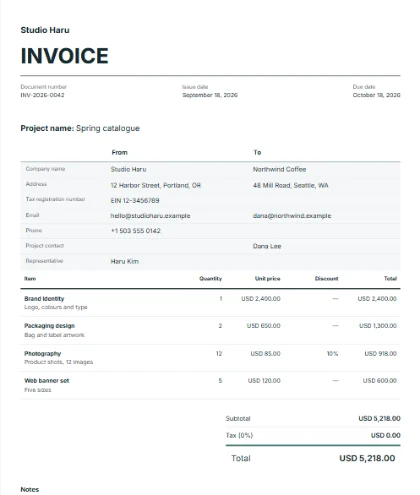
Swiss grid
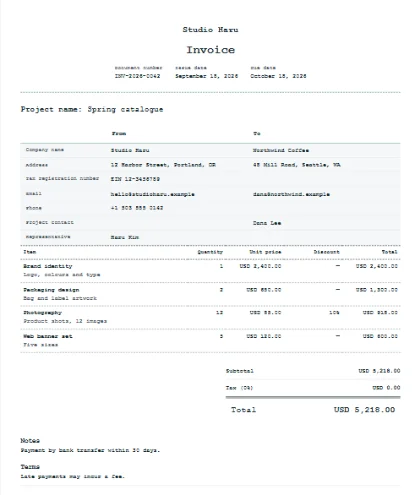
Receipt roll
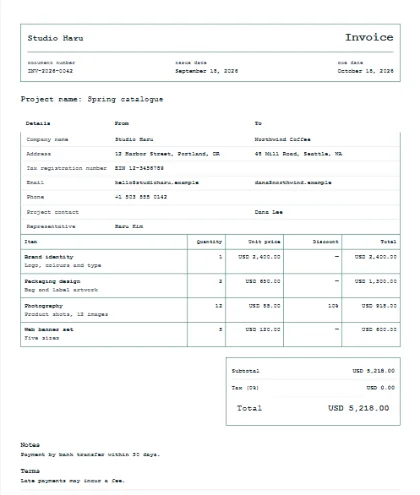
Blueprint
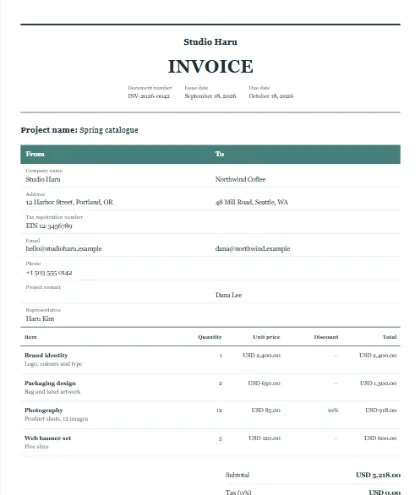
Newsprint
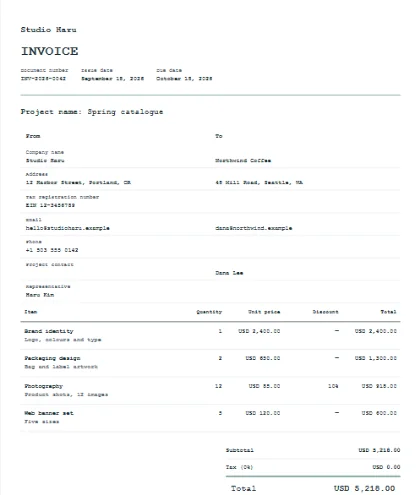
Typewriter
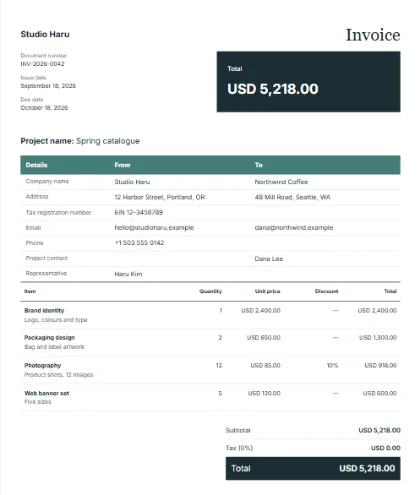
Balance card
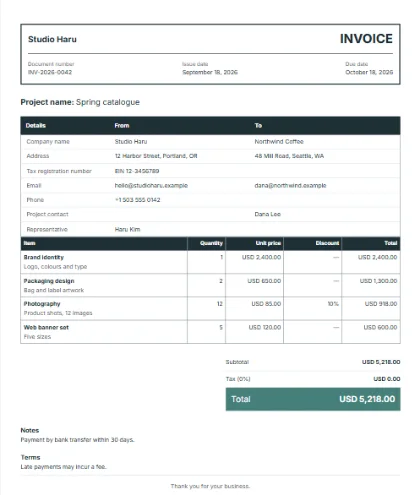
Cargo manifest
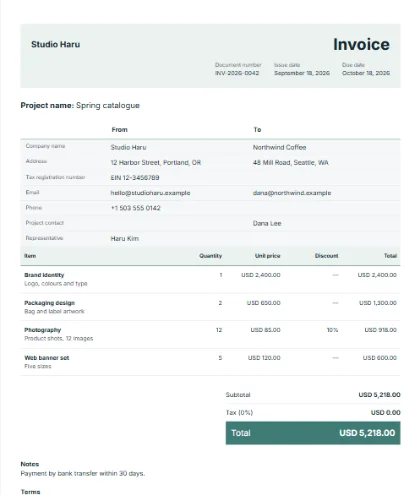
Accent wash
E-Contracts
Write the contract, send a secure link, get it signed
Start from a sample contract or from your quotation. The other side opens the link, enters the access code you sent another way, and reads and signs on any device with no account. Free for members, within daily limits.
No account for the other side
A link, an access code sent another way, any device.
The text is frozen when sent
A SHA-256 fingerprint shows any later change.
Every step is recorded
A hash-chained audit trail with the time of each event.
Anyone with a copy can check it
The public verification page recomputes the check.
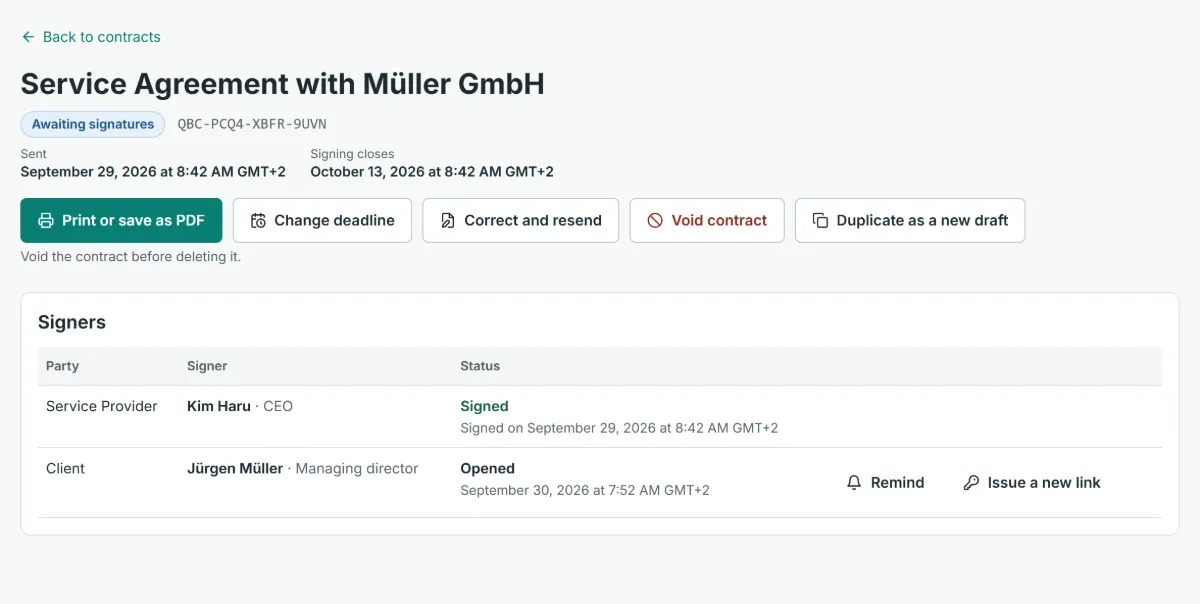
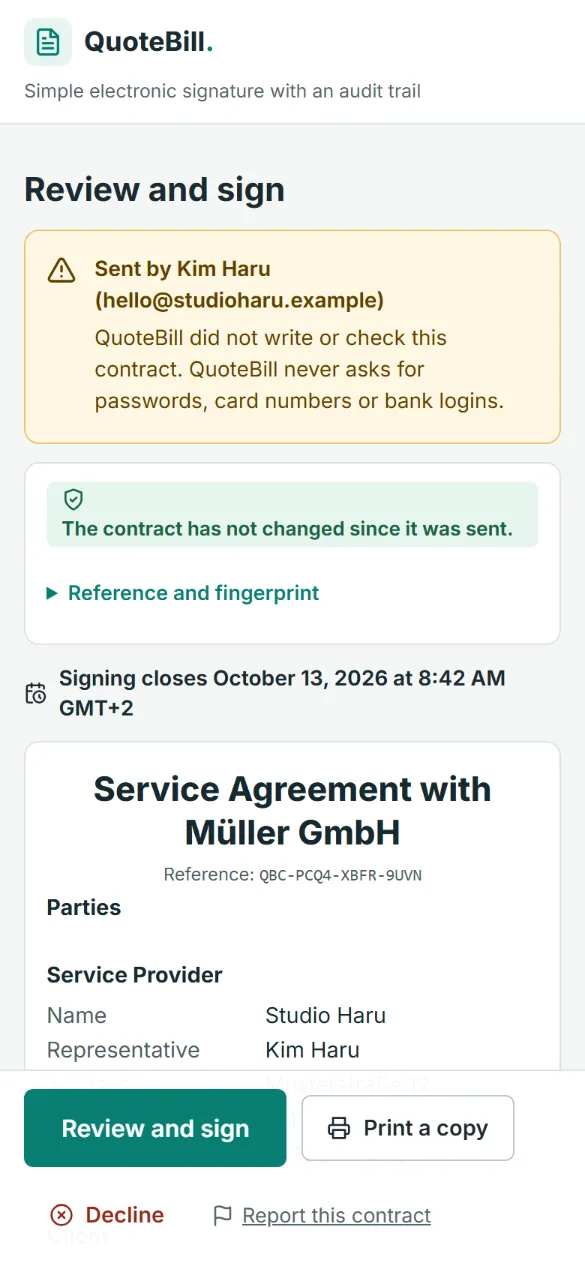
Quotation, contract, invoice: one connected flow
Make the contract from your quotation and the invoice from the signed contract. The client and the priced lines carry over, so nothing is typed twice.
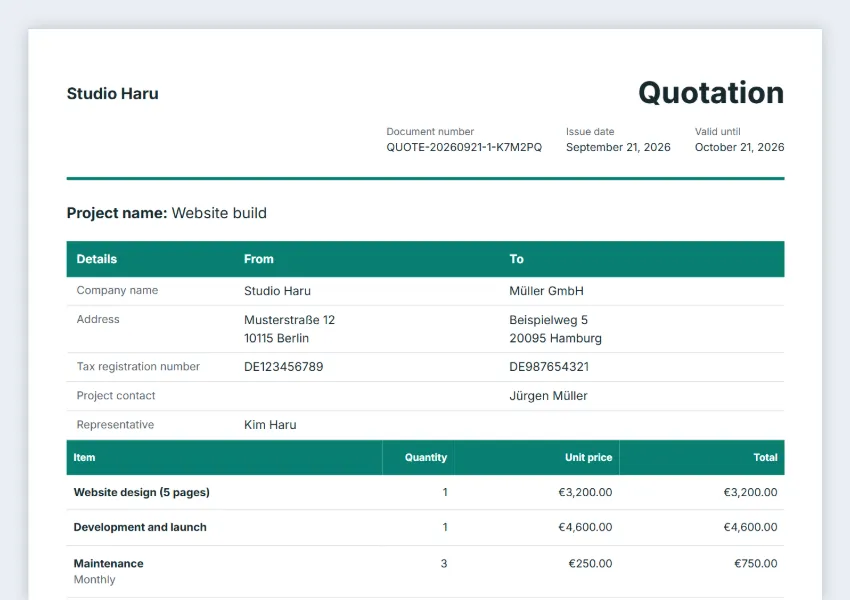
Quotations
Price the work and send it. Once agreed, make the contract from it; a proforma invoice, invoice, work order or purchase order can start one too.
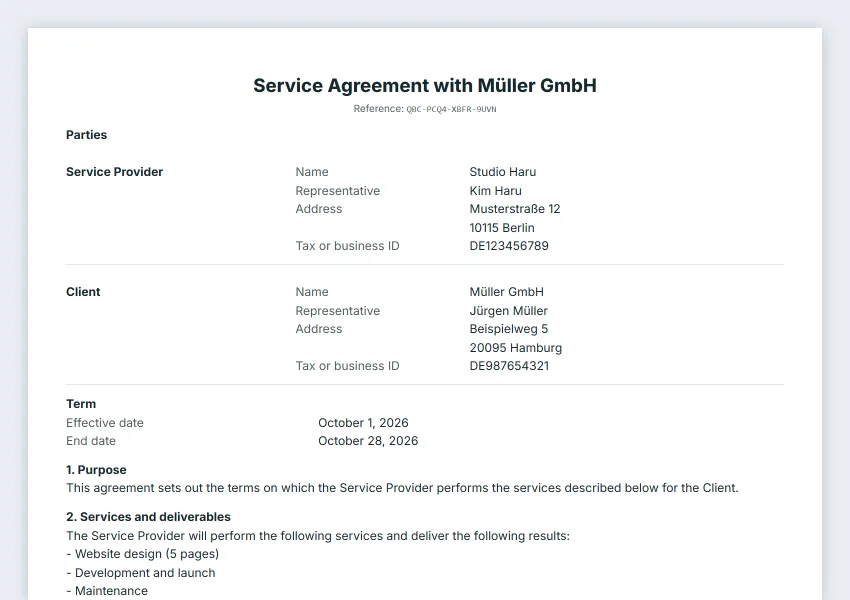
Contracts
Sent as a secure link with an access code. The other side reads and signs on any device; the text is frozen with a fingerprint, every step recorded.
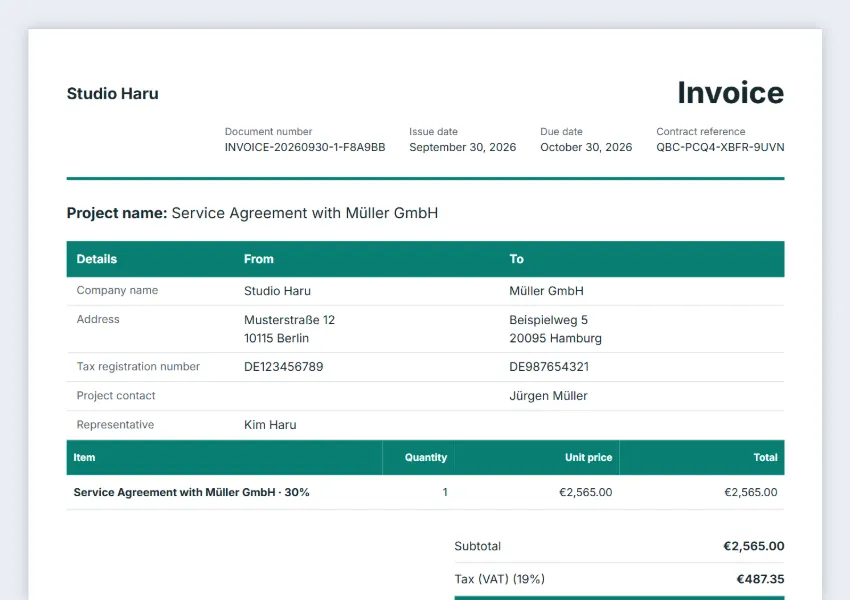
Invoices
Once everyone has signed, make the invoice from the contract, in full or for a deposit, then the receipt from the invoice as always.
119 sample contracts, readable in full
119 samples in 10 groups, from website design to non-disclosure agreements. The five below cover most agreements between small businesses. Each has a page where you can read every clause and the full sample text, in English, Korean, Japanese and German. Samples, not legal advice: review them with a lawyer.
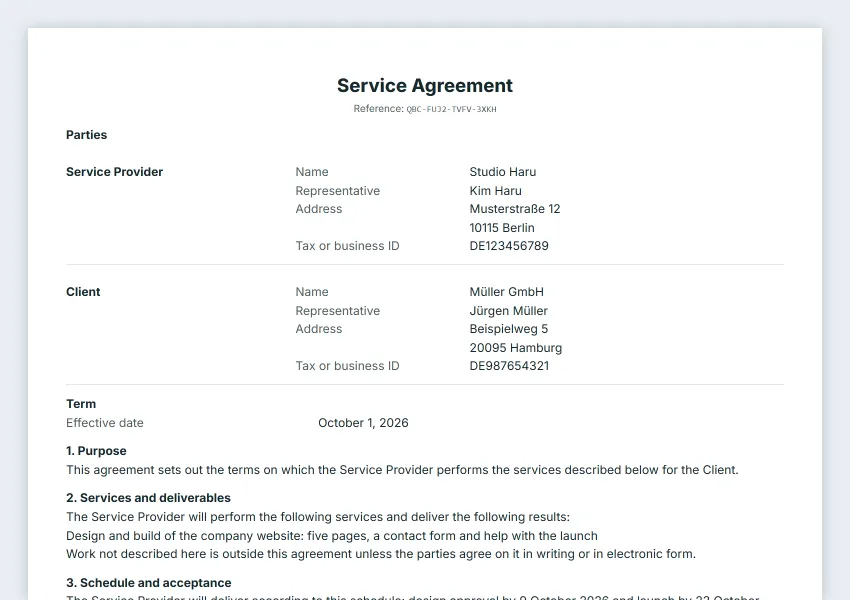
Service agreement
Services, deliverables, acceptance, fees and intellectual property.
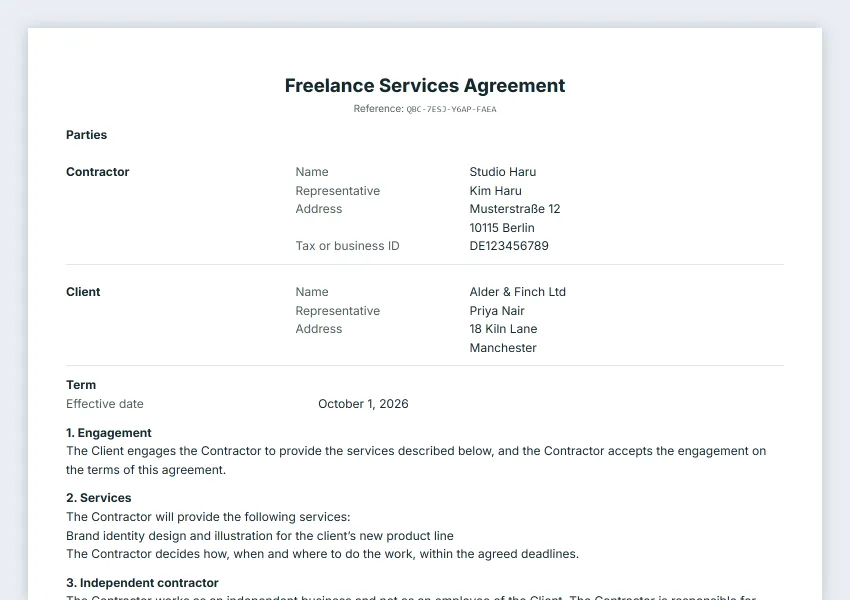
Freelance or consulting agreement
Independent contractor work with fees, intellectual property and confidentiality.
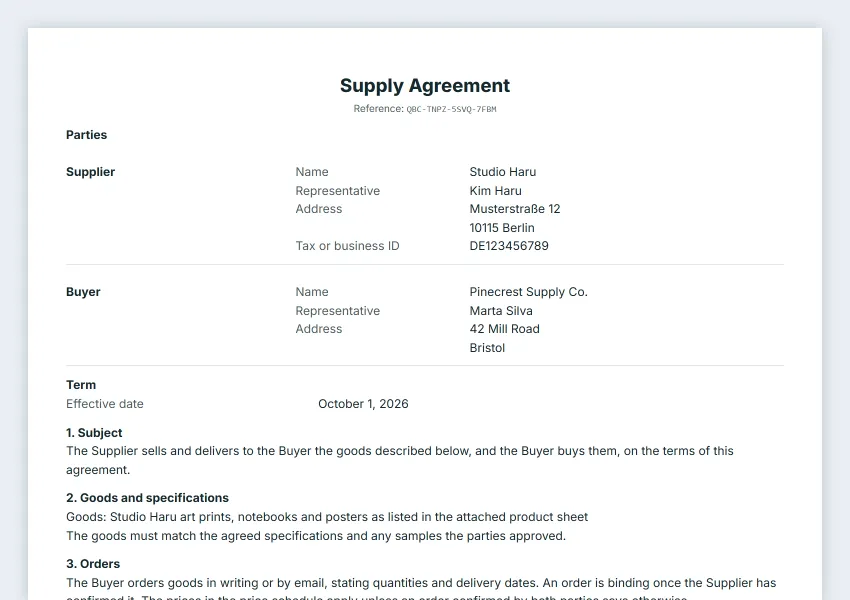
Sales and supply agreement
Goods, orders, delivery, inspection, warranty and payment.
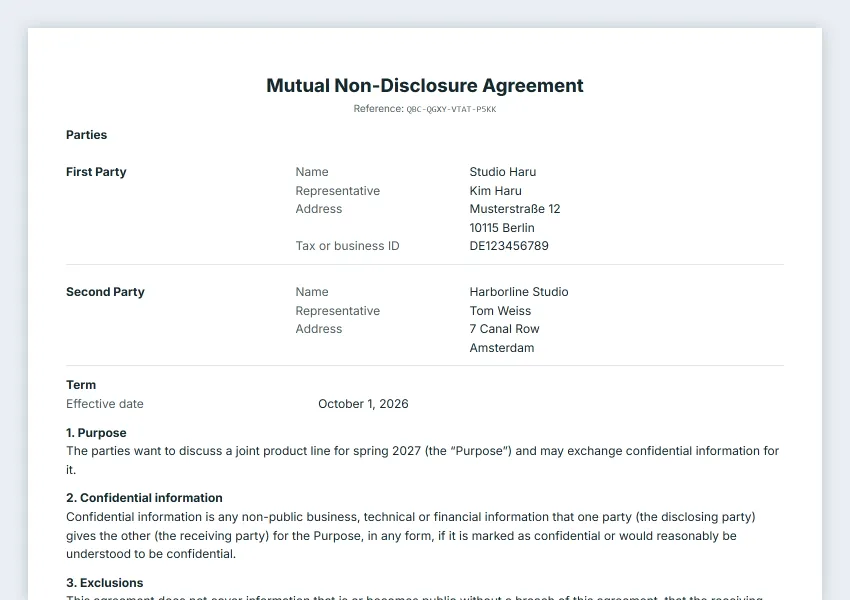
Non-disclosure agreement
Mutual confidentiality before or during a business discussion.
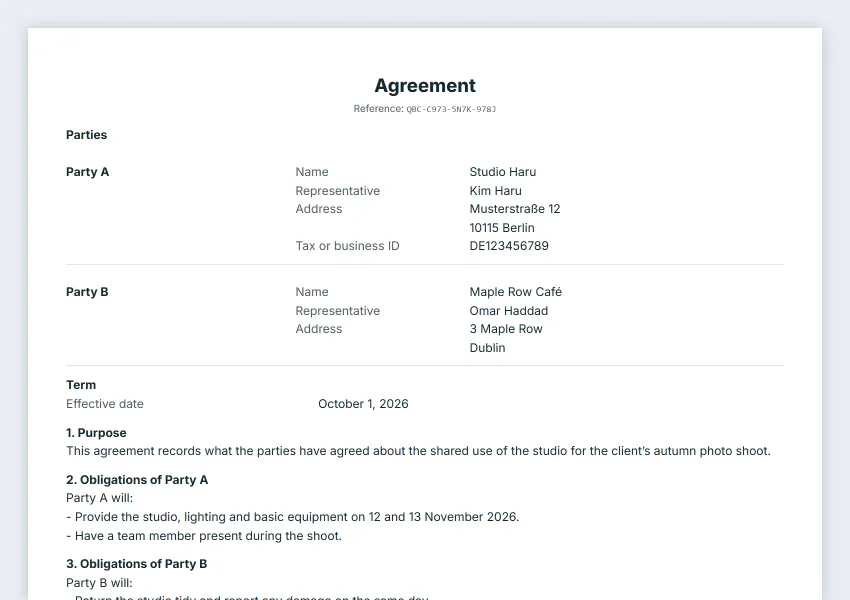
Simple general contract
What each party does, payment, term and termination.
Built so anyone can check it
SHA-256 fingerprint
Any change after sending is detectable.
Chained audit trail
Each event carries the hash of the one before.
Access code with lockouts
Five wrong codes lock the link for 15 minutes.
Public verification page
Check a certificate or an evidence file yourself.
Tools for the work around the document
Small helpers for the questions that come up before you write an invoice and the work that follows after you send it.
VAT and GST calculators
Add tax to a net price or take it out of a price that includes it. There is a page for each of 151 countries, with the standard rate, where it comes from and the date it was checked. Not tax advice.
Currency converter
See an invoice total in another currency at the European Central Bank’s daily reference rate, or at a rate you type, and add a one-line note to the invoice. Indicative, not a bank’s rate.
API for your own automations
Turn a spreadsheet row into a draft invoice or quotation with Make, Zapier, n8n or a script, using a personal key you can revoke. For members; the guide is in English.
Like a template, see what others use
Press the heart on any template or sample contract. Lists show the most liked first once there are likes, and only the totals are public.
Invite a colleague, save more documents
When a new member confirms their email and enters your invite code within 30 days of joining, you can save 10 more documents in the cloud.
Fill in a contract on the page itself
Click a highlighted blank on the contract to type into it, step through the blanks with Previous and Next, and let the draft save as you go.
Everything a business document needs.
For a freelancer’s first proposal and a small business’s everyday billing.
PDF, Word or Excel, ready to send
Print any of the ten documents on A4, save it as a PDF, or download it as a Word or Excel file. No software to install.
Your business, your document
Bring your logo, stamp, brand color and client details into every document.
Work across borders
Choose a document language and local currency, and set the tax rate for your transaction.
Make the next document
Make the invoice from a quotation, proforma invoice or work order, and a commercial invoice from a proforma invoice. From an invoice or commercial invoice, make the receipt, credit note or delivery note. The client and line items carry over.
Bill by the hour
Switch the lines to hours × rate for timesheet billing, with a date on each line and the total hours added up.
Your work, in your account
Drafts stay in this browser as you work. Save a document to your free account to open it on another device, and keep file backups.
Just ask ChatGPT or Claude
Connect QuoteBill to the AI app you already use, once. After that, ask for a quotation, an invoice or another document in plain words and the AI builds it with QuoteBill’s templates. You get a link to the finished document, with the tax already worked out. The AI can also find you a sample contract or a business form, add or take out VAT or GST and convert currencies. Gemini CLI and developer tools such as Claude Code and Cursor connect the same way.
- Try asking your AI
- “Make an invoice for my client in Japan: website design ¥480,000, plus three months of maintenance at ¥25,000 a month, with 5% off the maintenance.”
- What you get back
- Subtotal ¥551,250, consumption tax (10%) ¥55,125, total ¥606,375. Open the link that comes with it and the invoice is waiting in QuoteBill, filled in. Download it as Excel or Word, or edit it and save a PDF.
Set up once, in about three minutes
Copy the connection address
Copy the address below. Any QuoteBill member can use it, and joining is free. Not a member yet? Sign up with your Google account first.
Add it to your AI app
In your AI app’s settings, add a new connector (some apps call it an app) and paste the address. The first time, a QuoteBill window opens: sign in and choose Allow. Each app’s menus are listed below.
Ask the way you normally would
Say something like “Use QuoteBill to make a quotation.” The AI picks a suitable template, totals it with the country’s tax rate and hands you a link to the document.
Connects to
- Claude
- ChatGPT
- Gemini CLI
- Claude Code
- Codex
- Cursor
QuoteBill connection address (MCP server): https://quotebill.com/mcp
How to connect each app
Claude
In claude.ai or the Claude app, open Settings → Connectors → Add custom connector. Name it QuoteBill, paste the address and add it, then choose Connect and sign in to QuoteBill.
ChatGPT
On chatgpt.com, turn on developer mode in Settings, then create a new app from the apps list. Paste the address, choose “OAuth”, then sign in to QuoteBill and allow it.
Use ChatGPT on the web, at chatgpt.com, with a paid plan: custom connections are reported not to be offered on the free plan or in the mobile apps.
Gemini
In Gemini CLI, add the address to mcpServers in settings.json as an httpUrl, then run /mcp auth quotebill to sign in. The Gemini app on gemini.google.com cannot connect to QuoteBill yet.
Developer tools
In Claude Code, Codex, Cursor and other tools that support MCP, add the same address as an HTTP server. The first connection opens your browser once to sign in to QuoteBill.
- For members, free to join
- Client names and amounts are never stored
- Every tax rate shows its source and the date it was checked
- Answers in 33 languages
- Never sends, signs or deletes anything
Frequently asked questions
What documents can I make?
Ten kinds: quotations, invoices, proforma invoices, receipts, credit notes, purchase orders, delivery notes, work orders, statements of account and commercial invoices. A delivery note can print as a packing slip, and quotations, invoices, proforma invoices and work orders can bill hours × rate, as on a timesheet.
Is QuoteBill free?
Yes. Making all ten kinds of document, printing them and saving PDFs are free, and you can try it without an account. Saving documents to your account and downloading Word or Excel files need a free account. The business forms are the exception: you can also download them as Word without an account.
Do I need an account?
No, not to try it. You can fill in a template and print it or save it as a PDF without an account. Saving documents to your account, downloading Excel or Word files and connecting an AI app need a free account. Sign up with Google in one step, and you stay signed in on that device. You can browse the service, templates and guides before joining.
Where are documents saved?
Drafts are saved in this browser. Clearing browser data can remove them, so keep important documents in a backup file or save them to the cloud.
Can I turn a quotation into an invoice, or an invoice into a receipt?
Yes. In the editor, choose Make an invoice on a quotation, or Make next document for the other steps: a proforma invoice or work order from a quotation, a commercial invoice from a proforma invoice, and a receipt, credit note or delivery note from an invoice or commercial invoice. The original is kept, and its client and line items are copied into the new document.
Can I make documents with ChatGPT, Claude or another AI?
Yes. Connect QuoteBill to your AI app, and the AI builds the quotations, invoices and other documents you ask for with QuoteBill’s templates and tax rates, then sends back a link. The AI section on this page shows how to connect. The AI can also show you QuoteBill’s sample contracts, but it cannot create, send or sign a contract: you do that yourself in E-Contracts.
What is MCP?
MCP (Model Context Protocol) is an open standard that lets AI apps use other services as tools. You register one address, then sign in to QuoteBill once to allow the connection. The AI never sees your password.
Does connecting an AI store my information?
No. The connection checks that you are a member, then only reads public information, such as QuoteBill’s templates, sample contracts, business forms, tax rates and exchange rates, and works out figures. It saves nothing and cannot send, sign or delete anything. A connected app can see your account’s email address, name and photo, but not your saved documents or contracts. Client names and amounts travel inside the link the AI gives you and open only in your browser.
Can I add or remove VAT or GST for another country?
Yes, with the VAT and GST calculator under Tools. It adds tax to a net price or takes it out of a price that includes it, using the standard rate in QuoteBill’s tax data with its source and the date it was checked. Reduced rates, exemptions and thresholds are not covered, and it is not tax advice.
Can I create documents from a spreadsheet or an automation tool?
Yes, with the API. A member makes a personal key in Settings, and Make, Zapier, n8n or a script uses it to create draft documents in that member’s account. It cannot send, sign or delete anything. The guide is in English.
Can I get a contract signed?
Yes. In E-Contracts, write a contract from a sample template or from your quotation, proforma invoice, invoice, work order or purchase order, then send a secure signing link. Once everyone has signed, you can make the invoice from the signed contract. It is free for members, within daily limits.
Does the other side need an account?
No. The other side opens the link you send, enters the access code you sent another way (by phone or text, say), then reads and signs the contract on a phone or a computer. QuoteBill sends no email itself: you deliver the link and the code.
Is the signature legally binding?
QuoteBill makes a simple electronic signature with an audit trail: the text is frozen with a SHA-256 fingerprint, every step is recorded, and anyone with a copy can check the result. In the EU, the UK, the US and Korea a signature is not denied legal effect only because it is electronic, and in Japan most contracts need no particular form. What it proves in a dispute depends on the evidence behind it, and some documents must be handwritten, notarised, witnessed or signed with a qualified electronic signature. It is not an advanced or qualified electronic signature, and QuoteBill does not verify who signs. This is general information, not legal advice: ask a lawyer when in doubt.
536 Free Invoice, Quote & Receipt Templates
All 13 templates
Free invoice generator
Download the invoice as Excel or Word with working formulas (free for QuoteBill members), or edit it online with your logo and tax settings and save a PDF.
Free quotation generator
Download the quotation as Excel or Word with the formulas working (free for QuoteBill members), or edit it online and turn an accepted quote into an invoice.
Free estimate template
Free estimate template for contractors: labor, materials and equipment on separate lines, a valid-until date, and one click to turn it into an invoice.
Proforma invoice template
Free proforma invoice template: goods, prices, delivery terms and a valid-until date for prepayment or an import licence. Printed as "not a tax invoice".
Receipt template
Free receipt template and sample: payment date, method, the invoice it settles and the amount received. Fill it in and save a PDF, or download Word or Excel.
Credit note template
Free credit note (credit memo) template: reduce or cancel an invoice you already sent, quoting its number and the reason. Download Excel or Word, or save a PDF.
Purchase order template
Free purchase order template: items, quantities, agreed prices, delivery date and address, with an authorized-by line. Download Excel or Word, or save a PDF.
Delivery note template
Free delivery note template and format: items and quantities shipped (no prices), delivery address, tracking number and a received-by line. Excel, Word or PDF.
Packing slip template
Free packing slip template: order number, items and quantities packed, package count and tracking number, with no prices shown. Excel, Word or PDF.
Work order template
Free work order template with example lines for field jobs: job site, technician, date, labor and materials, and sign-off lines for technician and customer.
Timesheet invoice template
Free timesheet invoice template: date, task and hours on each line times your hourly rate, with total hours and tax. Download Excel or Word, or save a PDF.
Blank invoice template
Blank invoice template with one line for your own item or service: add quantity, price and more lines as needed. Fill it in online or download Excel or Word.
Contractor invoice template
Prepare a contractor invoice for labor, materials and approved change orders. Edit quantities and prices, check the tax, then save a PDF or download Word.
Quotation and Invoice Guides
All 51 guides
Use QuoteBill in ChatGPT, Claude and Gemini
Ask ChatGPT or Claude to turn a client’s email into a quotation, then an invoice, then a monthly statement: requests to copy, three-minute setup, privacy.
Quote to invoice: how to convert a quote, step by step
How to turn an accepted quote into an invoice: the steps, the new number and dates, a worked deposit example, and the QuoteBill button that keeps the quote.
Quotation vs invoice: differences and timing
Compare a quotation and an invoice by purpose, dates, amounts, and next steps. Follow a practical project example and the matching QuoteBill workflow.
How to write a quotation: format, example and checklist
What a quotation contains and in which order: parties, number and dates, line items, total, exclusions and terms, with a worked example and a checklist.
Invoice payment terms: Net 15, Net 30, due dates
Write clear invoice payment terms with Net 15 and Net 30 examples, an explicit due date, deposit checks, and a practical follow-up checklist.
Freelance invoice checklist: hours and fees
Prepare a freelance invoice with a worked hourly-plus-fixed-fee example, scope and expense checks, billing details, and a PDF checklist before sending.
International invoice payment: currency, IBAN and SWIFT
What an invoice paid from abroad must show: the currency code, IBAN and BIC (SWIFT), transfer charges, due date, reference and tax wording, with an example.
Invoice numbering: sequences and corrections
Plan a traceable invoice numbering system with year and sequence examples, checks across devices, correction records, and QuoteBill numbering limits.
Proforma vs invoice and down payment invoice
When to send a proforma, a down payment invoice or the final invoice: tax effect, prepayment and export use, a worked 50% example and a checklist.
German invoice requirements: the mandatory details
What a German invoice must contain under § 14 UStG, the small-amount invoice up to EUR 250, small-business and reverse-charge notes, and the e-invoice dates.
Japan qualified invoice: the required entries
The six entries a Japanese qualified invoice must carry, the registration number, rounding by tax rate, simplified invoices and what changed on 1 October 2026.
Korean tax invoice: required entries and the electronic form
The four mandatory entries on a Korean tax invoice, the optional ones, when it must be electronic, its deadlines, and the exempt-supply invoice.
Quote, proforma, invoice, receipt, credit note: which to use
Which document belongs to which stage of a sale: when each is issued, who issues it, what it shows and its tax effect, with one order traced end to end.
Credit note vs invoice (and credit memo): how to issue one
When to issue a credit note instead of editing an invoice, what it must show, a worked return example, and how it differs from a credit memo and a debit note.
What a receipt must show (and receipt vs invoice)
What to put on a payment receipt, how it differs from an invoice, how to handle deposits and part payments, and a worked example: two receipts, one invoice.
Estimate vs quote: what binds you, with a remodeling example
Estimate or quote: the practical difference, splitting labor, materials and equipment, clauses for hidden damage and changes, and a worked remodeling example.
Are QuoteBill e-signatures legally binding? How they work
What a QuoteBill e-signature records, how EU, US, Korean, Japanese and German law treat simple electronic signatures, and which documents need another form.
Simple, advanced or qualified e-signature?
The three eIDAS levels in plain words, where QuoteBill's simple signature fits, when it is enough, and how Korea, Japan and Germany draw the line.
Japan’s stamp duty: do electronic contracts need a stamp?
Why an electronic contract needs no Japanese revenue stamp, when a printout or paper original becomes taxable, and which paper contracts still need one.
Japan: keeping an electronic contract as a tax record
Keeping a contract made by email or e-signing service as data under Japan's electronic transaction rules: retention period, requirements, 2024 grace measure.
Japan's Freelance Act: terms a client must put in writing
What a Japanese client must state when commissioning a freelancer: the eight items, email and chat as valid means, the 60-day payment rule and where to turn.
Free DocuSign alternative for simple contracts
A free way to get a simple contract signed online: what QuoteBill E-Contracts does, what it does not, and when you need an advanced e-signature service.
Free invoice template in Excel, Word or PDF
Which format suits an invoice: Excel with live formulas, editable Word or PDF. Fill it in online, no download needed, with a worked example and a checklist.
Free quotation template in Excel, Word or PDF
Excel, Word or PDF for a quotation: live formulas while the price moves, editable wording, a final PDF. With a painting example and a pre-send checklist.
119 English contract templates to edit and save as PDF
119 sample contracts with English clauses: read each in full, edit online, save as PDF. Why there is no Word file, and what to check before use.
Compare free invoice generators: ten checks
Ten product-neutral checks for a free invoice generator: formats, account, tax, numbering, data and price. Where QuoteBill meets each, and where it does not.
How to write an invoice: a step-by-step example
The ten parts of an invoice in order, a worked example with tax and a deposit, what changes in the US, UK, EU, Australia, Japan and Korea, and a final check.
UK VAT invoice requirements: full, simplified, modified
What HMRC says a full UK VAT invoice must show, when a simplified or modified invoice is enough, when no VAT invoice is needed, with a worked 20% example.
EU VAT invoice requirements and the reverse charge
The Article 226 list of what an EU invoice must show, the reverse charge on cross-border sales, the 15th-day deadline and the e-invoicing change of 2030.
Australian tax invoice: GST requirements explained
What an Australian tax invoice must show under and over $1,000, the $82.50 and 28-day rules, and what to send if you are not registered for GST.
How to calculate VAT: add it, remove it, round it
The three VAT formulas, taking tax out of a gross price without the usual mistakes, rounding per line or on the subtotal, and showing VAT on an invoice.
Korea’s 3.3% freelancer withholding: how to invoice
Why Korean clients deduct 3.3% from freelance fees, who it applies to, a worked 1,500,000-won example, how to write the invoice and what happens at year end.
Deposit invoice: bill upfront, then invoice the balance
How to agree, invoice and receipt a deposit, two ways to bill the balance, when tax falls due on a deposit, and a worked 30% example that adds up.
Payment reminder email: three templates and timing
A polite reminder schedule, three emails to adapt for an overdue invoice, how to handle part payments, and when interest or fees may be added.
How to price freelance work: hourly, day rate or project
Work out an hourly rate from your income target, costs and billable hours, turn it into a day rate and a project price, and choose the right pricing model.
Retainer vs hourly billing: which to use and how to bill
How a monthly retainer and hourly billing share the risk, one quarter billed both ways, what a retainer agreement should say, and how to invoice each.
Freelance contract checklist: 12 points before signing
Twelve points every freelance contract should settle, a website job filled in clause by clause, the client’s side of it, and how to sign it online.
How to write a statement of work (SOW), with an example
What a statement of work contains, how to write a scope that can be checked, a three-milestone example, acceptance and changes, and billing each milestone.
When do you need an NDA? Mutual vs one-way
When a non-disclosure agreement helps and when it does not, mutual or one-way, the clauses that matter, and a worked example of an agency pitch.
How to get a contract signed online, step by step
From draft to signed copy: sending the link and code, what to tell your client, reminders, deadlines, lost links and corrections, and what to keep afterwards.
Influencer sponsorship contract: what to agree first
What creators and brands should agree before a paid post: deliverables, approval, ad disclosure, usage rights, exclusivity and fees, with a worked example.
Video editor contract: revisions, files and rights
What a creator and a video editor should agree: included tasks, revision rounds, ownership, AI tools, account access, music licences and a monthly fee example.
Licensing AI-generated artwork: what to put in writing
What copyright offices say about images made with AI tools, what an honest licence should state, likenesses and tool terms, and a book cover example.
SLA for a small SaaS: uptime, credits and support
What an SLA covers, what 99.9% or 99.5% uptime means in minutes, how service credits work with a worked example, and support hours and exclusions.
Data processing agreement (DPA): when you need one
When a small business needs a DPA, controller or processor, what GDPR Article 28 asks for, Korea’s entrustment rule, and a breach timeline example.
Create invoices from a spreadsheet automatically
Three ways to turn spreadsheet rows into invoices, how to plan the sheet, a three-row example, how the API automation runs and the limits to plan around.
French invoice details and the 2026-2027 e-invoicing reform
What a French invoice must show, the four new mentions from September 2026 and the e-invoicing calendar, and what QuoteBill does not do.
Receipt, quote and nota fiscal in Brazil: what each does
What a quote, a receipt and a nota fiscal each do for a Brazilian MEI, what QuoteBill makes and cannot make, and the new national NFS-e date.
1099-NEC threshold from 2026: what it means for invoices
The IRS reporting threshold for Form 1099-NEC payments after 2025, who files and by when, and what it does and does not change for your invoices.
Making Tax Digital for Income Tax and your invoices
Who has to use Making Tax Digital for Income Tax and from when, the three duties, and what it does and does not change for the invoices you send.
Unpaid invoice: follow-ups, part payments and statements
What a customer still owes after part payments and credit notes, how to follow up before and after the due date, and when to send a statement of account.