Blank invoice template
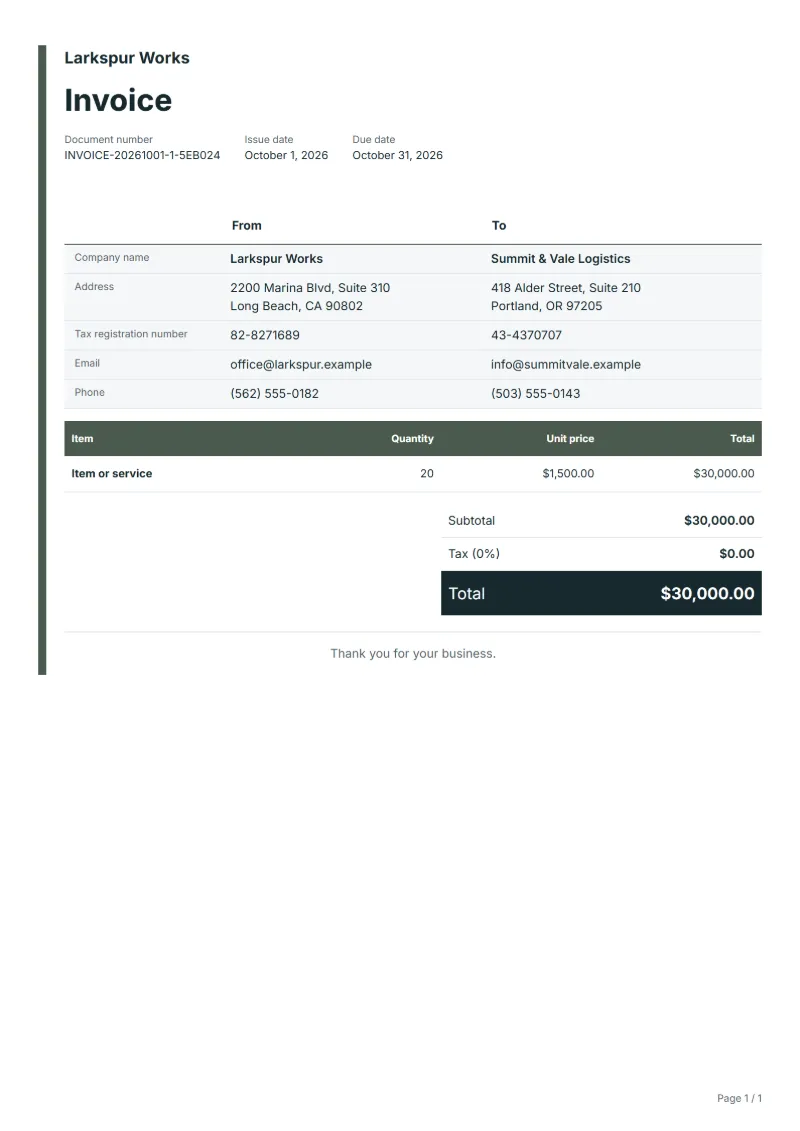
Blank invoice template with one line for your own item or service: add quantity, price and more lines as needed. Fill it in online or download Excel or Word.
Templates by industry
- Item or service
When to use the blank invoice, and what to fill in by hand
Example workflow
Pick the way you fill it in
Print the form empty for pen and paper, or open it in the editor; both start from the same row, "Item or service".
Write the rows and the sums
Replace "Item or service" with the real wording, add a row for every other item, and do the sums by hand or let the editor do them.
Check and send
Read the form once as the customer would, hand it over or save it as a PDF, and reconcile payment against the invoice number.
Sample lines get in the way when every invoice you send is different: a weekend market sale, a repair with odd parts, a one-off job for a business contact. The blank template carries the layout, the totals and the tax line and nothing else, so every word on the rows is yours. It also makes a clean starting point for your own house style: set your logo, payment details and terms, and from then on only the rows change.
Fields to prepare
- Deliverables and line items
- Item or service: the one empty row; repeat it for each service or product and write the real name, the quantity and the price on each.
- Item or service
- Write a name the customer will recognise, add the unit next to the quantity, such as hours, pieces or meters, and repeat the row for every further item.
- What to write by hand
- Fill in your name and address, the customer, the number, the date and each row. Leave no cell empty that the customer would have to ask about, such as the quantity or the unit.
- What the form can add up
- Fill it in online and the editor adds the amounts, the tax and the total. Print it empty and write on it, and every sum is yours to do and to check twice.
- Scope to agree
- Write the name of what you sold on the row in place of "Item or service", and give services a unit such as hours or days.
Before sending
- Does “Item or service” show the quantity actually supplied, not the quantity first quoted?
- Decide first whether you will fill the form in online or print it and write on it; the second means doing every sum by hand.
- Give every row a name, a quantity and a unit price; an amount with no quantity cannot be checked.
- Fill in the completed work first, then the due date and the amounts already received, so nothing is left to remember afterwards.
Worked example: filling the blank form by hand
The figures are an example, in dollars, with an example tax rate of 8%. The blank form has one row, "Item or service". A gardener replaces it with three rows.
| Item | Quantity × unit price | Amount |
|---|---|---|
| Fence panels | 6 × $42.00 | $252.00 |
| Fixing kit | 2 × $18.50 | $37.00 |
| Delivery | 1 × $35.00 | $35.00 |
| Subtotal | $324.00 | |
| Sales tax (8%) | $25.92 | |
| Total | $349.92 | |
Add the rows yourself: $324.00. Tax at 8% is $25.92, and the total payable is $349.92. If you filled the form in online, the editor shows the same three figures.
Common mistakes on a blank invoice
- Handing over the form with "Item or service" still written in the first row.
- Writing the total without the rows behind it, so nobody can check how it was reached.
- Making a sum error by hand that a calculator would catch; add the rows twice, once down and once across.
- Leaving the invoice number empty because it is only a paper copy; every invoice needs its number.
- Filling in the form but keeping no copy; photograph or save the finished invoice before you hand it over.
What the document must show
These details make an invoice easier to approve and to file.
- Your business name, address and registration or tax number
- The customer's name and address
- Issue date and a document number you do not reuse
- Each line item with quantity, unit price and amount
- Tax shown separately from the net amount, and the total payable
- Payment terms: due date, bank details or accepted payment methods
The sales tax depends on where the work is supplied, so set the rate that applies to your customer before sending.
Official rate reference: US government: state and local taxes
Frequently asked questions
Blank invoice template: what should it include?
The blank form carries one row, "Item or service", and nothing else. Replace it with the real item, then add your details, the customer, a number you have not used before and the dates.
Can I print it empty and write on it?
Yes. Open the template, choose Print / PDF and print the empty form. Writing on paper means you add up the rows and work out the tax yourself, so check the sums twice.
When is a blank invoice better than a generator?
When you need paper in front of the customer now, when you bill only now and then, or when your invoice is simple enough to write by hand. If you invoice often, filling it in online saves the arithmetic.
How many rows can I use?
Use one row per item or service and add rows until every charge has a line of its own. Several unrelated charges in one row cannot be matched to the order.
Can I fill it in later in Excel or Word?
Yes. The spreadsheet keeps its formulas, so a quantity and a price give the amount and the total. The Excel and Word files need a free account.
What must be filled in before I hand it over?
Your name and address, the customer, a number and a date, at least one complete row, the tax if it applies, the total and how to pay. Anything missing is a question the customer has to ask you.
Read next
Reading for the Blank invoice template: How to write an invoice: a step-by-step example and Credit note vs invoice (and credit memo): how to issue one. The VAT and GST calculator works out the tax line for you.