Singapore GST invoice template
Singapore invoice template with GST shown on its own line and sample lines for a system installation, network setup and on-site support. Download Excel or Word.
Templates by country
- Singapore system installation
- Network configuration
- On-site support
Preparation guide
Example workflow
Confirm scope and quantities
Example: reconcile the approval and work record for "Singapore system installation" to establish the quantity for this invoice.
Record delivery and acceptance
Check completion for every line, including "On-site support". Deliver the agreed test results and configuration notes, and assign owners for outstanding items.
Send the billing record
Send the final charges, delivery reference and due date to the customer, then reconcile payment against the invoice number.
A GST-registered business in Singapore issues a tax invoice to registered customers, who need it to claim the GST they paid. This template prints the title Tax Invoice and is laid out for an IT installation: the systems put in, the network configured around them and the support visits that follow. It suits system integrators and IT contractors working on office fit-outs, retail outlets and clinics, where the client’s finance team checks the invoice against a signed quotation.
Fields to prepare
- Deliverables and line items
- Singapore system installation, Network configuration, On-site support: record the quantities actually supplied and the service period.
- Singapore system installation
- Count installed systems or devices as the quantity and name the site, such as “Level 3 reception, 12 terminals”.
- Network configuration
- Describe what was configured, for example VLANs, Wi-Fi access points and firewall rules, rather than a bare “network setup”.
- On-site support
- Bill visits with their dates and duration, and say whether each call-out fell within the agreed support hours or was urgent.
- Environment and dependencies
- Record target systems, integration counts, data volume and who supplies test access.
- Acceptance and support
- Set acceptance scenarios, the review window, support duration after handover and excluded work.
- Scope to agree
- Record installed systems and device counts, network configuration scope and on-site support visits.
Before sending
- Does “Singapore system installation” show the quantity actually supplied, not the quantity first quoted?
- Is “Network configuration” charged at the rate the customer agreed to, with any change approved?
- Is “On-site support” finished and accepted, or does it belong on a later invoice?
Show 4 more
- Separate third-party service charges from implementation fees.
- Agree who handles the production transition and what recovery work is included if it fails.
- Match completed work to the order or approval record, and confirm the payment due date and amounts already received.
- Confirm document language (en), country setting (SG), and the customer's currency and date-format requirements.
Worked example with sample figures
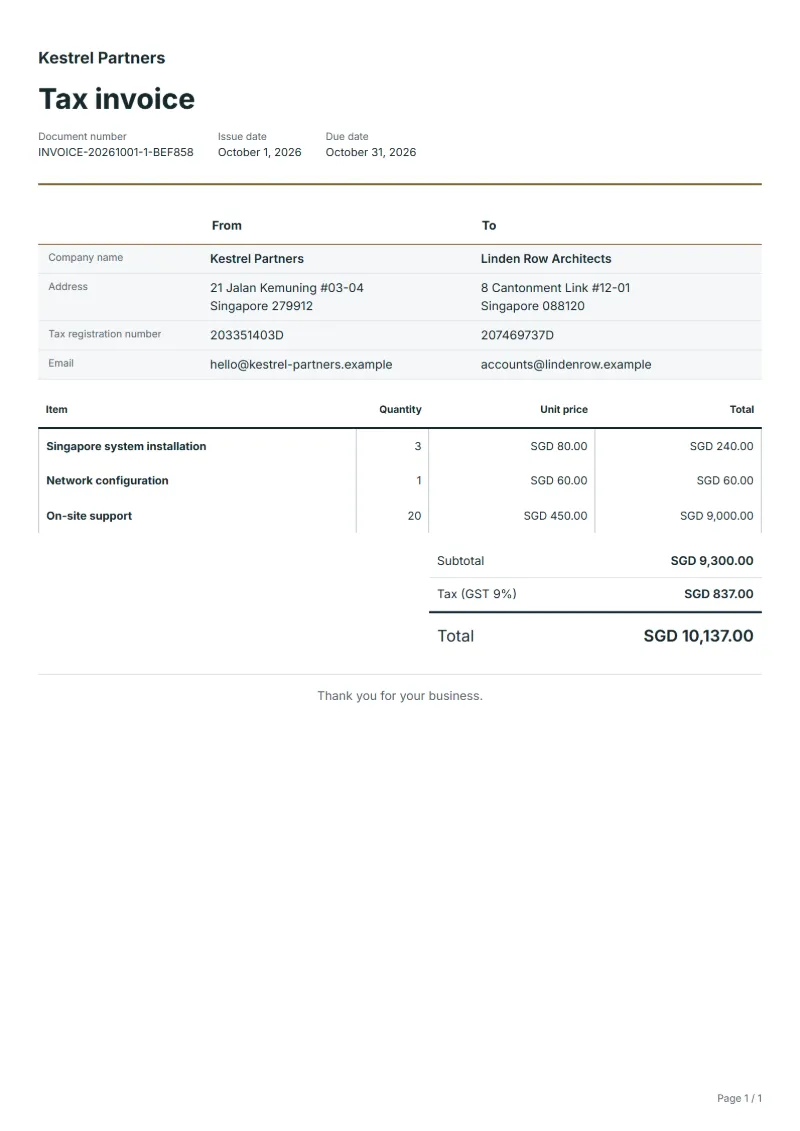
The figures below are invented to show how the template adds up: 3 lines in SGD, with GST at 9%.
| Item | Quantity × unit price | Amount |
|---|---|---|
| Singapore system installation | 3 × SGD 80.00 | SGD 240.00 |
| Network configuration | 1 × SGD 60.00 | SGD 60.00 |
| On-site support | 20 × SGD 450.00 | SGD 9,000.00 |
| Subtotal | SGD 9,300.00 | |
| GST (9%) | SGD 837.00 | |
| Total | SGD 10,137.00 | |
Net amount SGD 9,300.00, GST SGD 837.00, total payable SGD 10,137.00.
What the document must show
These details make an invoice easier to approve and to file.
- Your business name, address and registration or tax number
- The customer's name and address
- Issue date and a document number you do not reuse
- Each line item with quantity, unit price and amount
- Tax shown separately from the net amount, and the total payable
- Payment terms: due date, bank details or accepted payment methods
- A Singapore GST tax invoice shows the words “Tax Invoice”, the supplier’s name, address and GST registration number, the invoice date and an identifying number, the customer’s name and address, a description, the GST rate, and the total payable excluding GST, the total GST and the total payable including GST. In a foreign currency, those three totals must be converted into Singapore dollars.
The GST here is 9%, applied to the net amount and shown as its own line.
Official rate reference: IRAS: when to charge GST
Frequently asked questions
Can I price a Singapore tax invoice in US dollars?
You can, but as the requirements above note, the total excluding GST, the GST and the total including GST must then also be shown in Singapore dollars. Write those three figures in the notes, with the exchange rate you used.
My customer is not GST-registered. Does it need a tax invoice?
A tax invoice is what lets a registered customer claim GST; a customer who is not registered cannot claim it, so an ordinary invoice or a receipt often serves. Check the IRAS guidance for your situation before you change the format.
How should I bill hardware supplied with the installation?
Put equipment on lines of its own with model and quantity, apart from the installation labor. If a device fails under warranty later, the customer can see at once what it cost and when it was supplied.
How is the GST worked out on this invoice?
In the worked example above, GST at 9% on the net amount of SGD 9,300.00 is SGD 837.00, so the total is SGD 10,137.00. The editor recalculates all three when you change a quantity, a price or the country.
Is this template free?
Yes. You can fill in this template and print it or save it as a PDF without an account, and there is no payment step and no watermark on the document. Saving it to your account and downloading Excel or Word files need a free account.
Read next
Reading for the Singapore GST invoice template: How to write an invoice: a step-by-step example and Credit note vs invoice (and credit memo): how to issue one. The VAT and GST calculator works out the tax line for you.